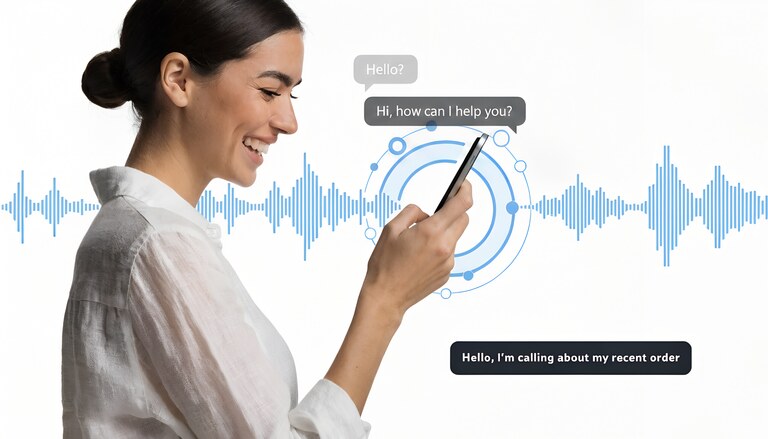
Who uses phone call captions
Captioned calling started as an accessibility service for the deaf and hard-of-hearing community. It's expanded far beyond that original use case.
People with hearing impairments: The primary audience. Approximately 15% of adults worldwide have some degree of hearing loss. For many, phone calls without visual support are difficult or impossible to follow. Captions make phone communication accessible.
Non-native speakers: Understanding spoken language is harder than reading it, especially on phone calls where you can't see lip movements or facial expressions. Someone who reads English fluently may struggle to understand a fast-talking American on the phone. Captions bridge this gap.
Accent comprehension: Regional accents, unfamiliar dialects, or speakers with heavy accents can be difficult to parse in real time. This affects both native and non-native speakers. Reading the words while hearing them significantly improves comprehension.
Noisy environments: Airports, construction sites, busy streets, crowded offices. When ambient noise competes with the caller's voice, captions ensure you catch what's said even when you can't hear clearly.
Audio processing differences: Some people process written information more effectively than auditory information—not due to hearing loss, but due to how their brain works. Captions provide a second channel for the same information.
Important calls where accuracy matters: Medical appointments, legal discussions, business negotiations. When missing a word could mean missing something critical, captions provide a backup to your ears and a reference you can review.
How phone call captions work
Real-time captioning requires converting speech to text fast enough to display while the conversation is still happening. There are two approaches.
Human-assisted captioning
A trained operator listens to the call and types or re-speaks what they hear into a speech-to-text system. This was the original approach and remains the most accurate—human operators understand context, recognize names, and correct errors on the fly.
Accuracy: 95-99% with experienced operators.
Latency: 2-5 seconds behind the speaker. You see text after a noticeable delay.
Availability: Limited to specific services, often government-subsidized accessibility programs.
Privacy: A human is listening to your call. This matters for sensitive conversations.
Automatic speech recognition (ASR)
AI-powered systems transcribe speech without human involvement. Modern ASR has improved dramatically—the same technology powers voice assistants, dictation software, and automated meeting transcriptions.
Accuracy: 85-95% depending on audio quality, accents, and background noise. Technical terms, names, and unusual words cause more errors.
Latency: Under 1 second with modern systems. Captions appear nearly simultaneously with speech.
Availability: Built into smartphones, available through apps, offered by some calling services.
Privacy: Varies. Some systems process audio locally on your device; others send audio to cloud servers for processing.
The trade-off is clear: human captioning is more accurate but slower and raises privacy concerns. Automatic captioning is faster and more private (when processed locally) but makes more mistakes.
Options for captioned phone calls
Built-in smartphone features
Both iPhone and Android have native captioning capabilities.
iPhone Live Captions (iOS 16+): Transcribes any audio playing on the phone, including phone calls. Works on-device without sending audio to Apple's servers. Available in English (US, UK, Canada, Australia) with more languages being added.
To enable: Settings → Accessibility → Live Captions → Toggle on.
Live Captions appear in a floating window during calls. Accuracy is good for clear speech, weaker for accents or poor audio quality. Since processing happens on-device, there's no privacy concern about your conversation being transmitted elsewhere.
Android Live Caption (Pixel, Samsung, others): Similar to Apple's implementation. Transcribes audio on-device. Originally launched on Pixel phones, now available on many Android devices.
To enable: Settings → Accessibility → Live Caption → Toggle on. On some devices, you can also access it through volume controls.
Limitations of built-in options: These features transcribe what you hear through the phone speaker or earpiece. They work reasonably well but aren't optimized specifically for phone calls. They can't access the audio stream directly, so they're subject to ambient noise pickup and speaker quality. Language support is limited.
Carrier captioning services (US)
In the United States, captioned telephone service (CTS) is available free to people with hearing loss, funded by the FCC through the Telecommunications Relay Services Fund.
How it works: You use a special captioning phone or app. When you make or receive calls, a captioning service transcribes the other person's speech in real time. Most services use a combination of ASR and human operators.
Providers: CaptionCall, ClearCaptions, Hamilton CapTel, InnoCaption. These offer free captioning phones and mobile apps for qualified users.
Qualification: You must self-certify that you have hearing loss that necessitates captioning. The service is specifically for people with hearing impairments, not for general use.
Limitations: Only available in the US. Designed for people with hearing loss, not general accent/language comprehension. Requires registration and may require specific equipment. Some services have latency as they use human-assisted captioning.
Third-party captioning apps
Several apps offer call captioning outside of official accessibility programs.
Google Live Transcribe: Free app that transcribes any audio your phone's microphone picks up. Not call-specific, but works during calls on speaker. Supports 80+ languages. Processing happens in the cloud.
Otter.ai: Known for meeting transcription. Can transcribe calls if you use speaker mode. Free tier available with limited minutes. Cloud-based processing.
Rogervoice, Ava, and similar: Apps designed specifically for call captioning for the deaf/hard-of-hearing community. Availability and features vary by country.
Limitations: Most of these require speaker mode or routing audio through the app, which isn't always practical. Cloud-based processing raises privacy questions. Quality varies significantly between services and conditions.
VoIP services with built-in captions
Some internet-based calling services build captioning directly into the call experience.
Google Voice: Offers voicemail transcription but not real-time call captioning.
Google Meet, Zoom, Teams: Video conferencing platforms have excellent live captions, but these are for meetings, not traditional phone calls to landlines and mobiles.
DialHard: Provides real-time captions during international calls to any phone number. Captions appear on screen as the other person speaks, with latency under 250 milliseconds. The feature works for calls to landlines and mobiles worldwide—not just app-to-app calls.
DialHard's captioning uses automatic speech recognition optimized for phone call audio. Since calls happen in the browser, captions display directly in the call interface. No separate app or speaker mode required.
Captions for international calls
This is where captioning becomes particularly valuable beyond accessibility.
International calls often involve language and accent barriers. You might speak the same language as the person you're calling, but understanding them is another matter. A native English speaker in the US calling a government office in India, or a Spanish speaker in Mexico calling relatives in Argentina with a different regional accent—these situations are common and often frustrating.
The problem with existing options: Built-in phone captions work okay for domestic calls with clear audio. They struggle more with accented speech, international call audio quality (which is often compressed), and languages other than English. Carrier accessibility services are domestic-only and limited to people with hearing loss.
What's different about captioned international calling: A service designed for international calls can optimize for the specific audio characteristics of overseas connections and the reality that accents and language variations are the norm, not the exception.
DialHard's live captions were built with this context in mind. The feature works on calls to any country—the same caption interface whether you're calling London or Lagos. For diaspora communities calling family abroad, or businesses dealing with international contacts, captions provide comprehension support that native phone captioning doesn't handle well.
Privacy considerations
Captioning requires processing audio. Where and how that processing happens matters.
On-device processing: Apple's Live Captions and some Android implementations process audio entirely on your phone. No audio leaves the device. This is the most private option.
Cloud processing: Many captioning services send audio to servers for transcription. This enables better accuracy (more computing power, larger models) but means your conversation is transmitted to a third party. Check privacy policies to understand how audio is stored and used.
Human captioners: Traditional relay services and some caption providers use human operators. A person is listening to your call. For sensitive conversations—medical, legal, financial—this may be a concern.
Recording vs. real-time: Real-time captioning doesn't necessarily mean recording. Some services transcribe the audio stream without storing it. Others save transcripts for later reference. Understand the difference before using captioning for sensitive calls.
There's no single right answer. On-device processing is most private but less accurate. Cloud processing is more accurate but involves data transmission. Choose based on your priorities and the sensitivity of your calls.
Making captions work well
Captioning accuracy depends on conditions you can partially control.
Audio quality: Clear audio produces better captions. Use a good microphone or headset. Avoid speakerphone in noisy environments. Strong cellular or WiFi signal matters for VoIP calls.
Speaking pace: If you're the one being captioned, speaking at a moderate pace with clear enunciation improves accuracy. This matters for both human and automated captioning.
Background noise: Captioning systems struggle when background noise competes with speech. Find a quiet environment when possible. This applies to both ends of the call.
Accents and vocabulary: ASR systems perform better on accents and vocabulary they've been trained on. Mainstream American and British English are well-supported. Regional dialects, technical jargon, and proper nouns cause more errors. Don't rely exclusively on captions for critical information in these cases.
Expectations: No captioning system is 100% accurate. Treat captions as a comprehension aid, not a perfect transcript. For critical details—phone numbers, addresses, amounts—verbally confirm what you understood.
Captioning for specific situations
Business calls with international contacts
Accent differences between native and non-native speakers create comprehension challenges in both directions. An American struggling to understand an Indian support agent. A Japanese executive straining to follow a British contractor's regional accent. Neither party has hearing loss; both would benefit from captions.
Captions serve as real-time backup—if you miss a word aurally, you catch it visually. This reduces "sorry, could you repeat that?" interruptions and makes calls more productive.
For these scenarios, VoIP services with built-in captions (like DialHard) are more practical than cobbling together a phone speaker and a transcription app.
Calling elderly relatives abroad
Older adults often have some degree of age-related hearing loss. Combined with the audio compression of international calls, understanding a grandparent on a call from overseas can be genuinely difficult.
Captions help on your end—you see what they say. This doesn't help them understand you (they'd need their own captioning setup), but it makes the conversation viable from your side.
It also helps with accent and dialect differences that naturally exist between generations and geographies within the same language.
Noisy environments
You're at an airport. Your flight is boarding. A call comes in that you need to take. Between announcements, crowd noise, and marginal cell signal, hearing the caller clearly is nearly impossible.
Captions transform this situation. You may catch only fragments aurally, but the text fills in what you miss. The combination of partial audio plus captions is often enough to follow the conversation.
For this use case, any captioning solution helps—native phone features, third-party apps, or VoIP with built-in captions. The key is having it already set up before you need it.
Learning to understand a new accent
Captions are a training tool. When you're first exposed to an unfamiliar accent—Scottish English, Indian English, Brazilian Portuguese, any regional variation you haven't encountered—comprehension is difficult. Reading along while listening accelerates the adaptation process.
Over time, you need the captions less. Your ear learns to parse the accent. But in the early stages, captions bridge the gap between "I can't understand anything" and "I can follow this conversation."
This applies to language learning too. Intermediate speakers who can read a language better than they can aurally process it benefit from the dual-channel input of captions plus audio.
Comparison: captioning options
| Option | Call types | Processing | Cost | Languages |
|---|---|---|---|---|
| iPhone Live Captions | Any (speaker audio) | On-device | Free | English (4 variants) |
| Android Live Caption | Any (speaker audio) | On-device | Free | English, expanding |
| US Carrier CTS | Any phone call | Human + ASR | Free (qualified users) | English, Spanish |
| Google Live Transcribe | Any (microphone) | Cloud | Free | 80+ languages |
| DialHard | VoIP to any number | Cloud ASR | From $0.06/min, plus $0.05/min for captions pay-as-you-go (included on paid plans) | English (expanding) |
Native phone features are free and private but limited in language support and accuracy. Cloud-based services offer more languages but involve data transmission. VoIP with integrated captions provides a streamlined experience for international calls at per-minute cost.
Setting up captioned calling
Using built-in phone captions
iPhone: Settings → Accessibility → Live Captions → Toggle on. During calls, a caption box appears automatically. You can reposition it by dragging. Works with both cellular and VoIP calls as long as audio plays through the device.
Android: Settings → Accessibility → Live Caption → Toggle on. Some devices show a Live Caption shortcut in the volume panel. Caption box appears during media and calls with audio.
Using DialHard with live captions
1. Create an account at dialhard.com
2. Add calling credit ($20 minimum)
3. Enable live captions in your call settings
4. Make a call—captions appear automatically in the call interface
Captions display in real time as the other person speaks. The text remains visible throughout the call, scrolling as the conversation progresses. After the call, a full transcript is available in your call history.
Summary
Phone call captions convert speech to text in real time, displaying what the other person says as on-screen subtitles. Originally an accessibility feature for hearing impairment, captions are increasingly used for accent comprehension, language barriers, and noisy environments.
Free options: iPhone Live Captions and Android Live Caption work for any call using on-device processing. Limited language support but completely private. US residents with hearing loss can access free carrier captioning services.
Third-party apps: Google Live Transcribe and similar apps transcribe audio your phone picks up. Require speaker mode or audio routing workarounds. Cloud-based processing with broad language support.
VoIP with built-in captions: Services like DialHard integrate captions directly into international calling. No separate apps or speaker mode required. Captions display in the browser call interface. The call is billed per minute; captions are included on paid plans and metered at $0.05/min pay-as-you-go.
For accessibility needs, start with built-in phone features or carrier services (in the US). For international calls where accent comprehension is the challenge, VoIP with integrated captions provides a cleaner solution than trying to make phone captioning apps work with overseas call audio.
Captioning isn't perfect—expect 85-95% accuracy under good conditions, lower with heavy accents or poor audio. Treat captions as a comprehension aid, not a verbatim transcript. For critical information, confirm verbally.
Start calling today
Calls run in your browser — no app, and nothing to install on the other end either.